
Thermal Transfer Printhead Maintenance: 4 Habits to Extend Printhead Life
Thermal transfer printhead is one of the most crucial and expensive components in label printers. Whether it is an industrial-grade label printer or a desktop device, the condition of the printhead directly affects the printing quality, the stability of the equipment, and the long-term usage cost. In practical applications, many users focus more on the printer itself but neglect the maintenance of this key component. As a result, printing becomes blurry, barcodes break, and even the printhead fails prematurely. In fact, as long as one develops the correct maintenance habits, the service life of the printhead can be significantly extended, and even increased by two to three times.
The current official technical documents of mainstream label printing equipment manufacturers demonstrate that printhead damage occurs mainly because of incorrect usage and insufficient maintenance activities which not yet reached their natural lifespan. The implementation of standardized maintenance procedures for printheads will establish vital practices that protect printing operations and decrease operational expenses.
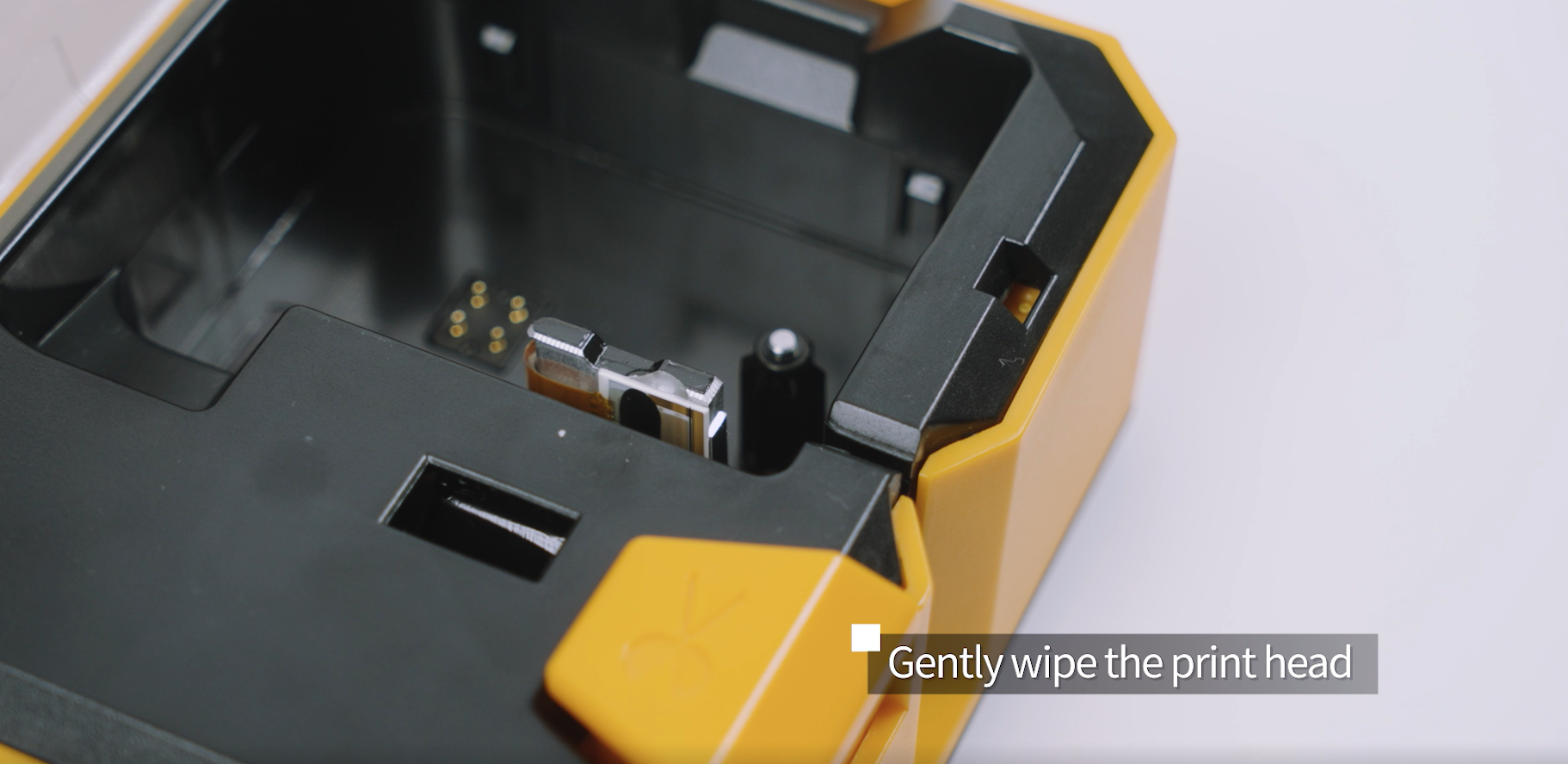
Why Are Printheads Prone To Wear And Tear?
Thermal transfer printing head is composed of densely arranged micro heating points. These heating points precisely transfer the ink from the carbon tape to the surface of the label by instantaneous heating. During the printing process, the printing head remains in a high-temperature state for a long time and maintains continuous contact with the carbon tape and the label material. This working method requires the printing head to not only withstand high temperatures but also endure continuous physical friction.
The printing head’s surface accumulates carbon tape residues and label adhesives and dust and tiny particles as users extend their printing time. The contaminants create problems because they obstruct heat flow which leads to overheating in specific areas while the heating system distributes heat in an irregular pattern resulting in faster deterioration of the printing head. The contaminants require urgent cleaning because their presence can cause permanent harm to the heating points which leads to missing printing lines or total printing failure.
Habit 1 —— Correct Use and Rest
Many operators often neglect the “tolerance” of the printer itself in order to speed up the process. Improper operation is the primary cause of premature aging of the print head.
The print head is essentially a row of closely arranged heating elements. If the printing speed is constantly increased to achieve higher printing efficiency, it is like running an engine at full throttle for a long time, which will drastically shorten its lifespan.
Continuous printing leads to the accumulation of heat in the print head. High temperature not only accelerates the aging of the heating elements but also may cause the ceramic substrate to crack. When performing large-scale printing (such as continuous printing of more than 1000 sheets), make use of the intervals when the printer changes labels or pauses to let the print head cool naturally for 5-10 minutes.
Habit 2 —— Regular Cleaning
When the printhead is working, it comes into direct contact with the ribbon and label. Dust and paper scraps from the edges of the label, as well as coating powder that has detached from the ribbon, will adhere to the surface of the printhead. If not cleaned in time, these impurities will wear down the heating element like “sandpaper” or cause heat to accumulate like “insulation.”
Cleaning Frequency
Routine Cleaning: Clean whenever you change the ribbon or label paper. This is the easiest rule to remember.
Deep Cleaning: If the printing environment is dusty, or if you print more than 5 ribbons per week, a more thorough cleaning is recommended.
Correct cleaning tools and methods
Required tools:
Print head specific cleaning pen: Contains volatile cleaning liquid, which can lubricate during cleaning and is the best choice.
Isopropyl alcohol (anhydrous alcohol) + dust-free cotton swabs: The purity should be above 90%.
Prohibited Tools:
Strong solvents such as acetone and toluene are strictly prohibited, as they will corrode the protective film on the printhead surface.
Paper towels or rough cloths are strictly prohibited, as paper residue will burn the printhead, causing further damage.
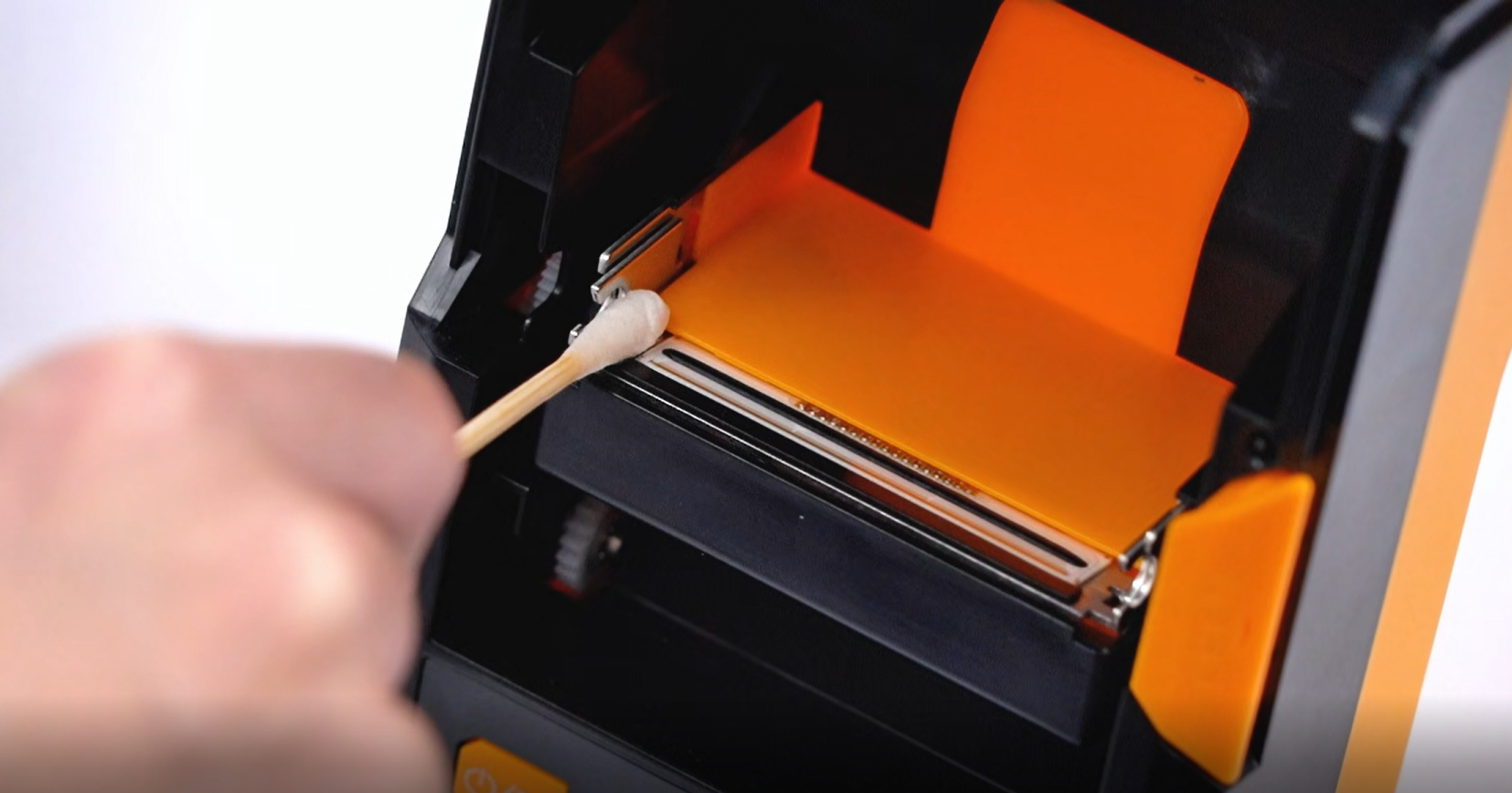
Key Steps:
- Power off and open the printhead: It should all be done after power is switched off and after the printhead gets cold.
- One-way wiping: You should use a dampened cotton swab which has been dipped in a small amount of alcohol to wipe the printhead heating elements once in one direction which follows their horizontal arrangement.
- Wait for drying: Do not scrub back and forth forcefully. Wait a few seconds for the alcohol to completely evaporate before closing the printhead.
- Inspect the rubber rollers: Clean any residual rubber and dust from the rubber rollers as well.
Common Misconception: Immediately clean the print after it is completed. At this point, the print head temperature is extremely high. Contact between the cold alcohol and the hot surface may cause the ceramic substrate to crack. It is essential to wait for the print head to cool down to room temperature.
Habit 3 —— Choose High-quality Ribbons And Label Materials
The print head has continuous contact with the carbon tape and label materials, so the quality of the consumables directly affects the wear rate of the print head. High-quality carbon tapes usually have a uniform and smooth coating that can complete the transfer at a lower temperature and reduce friction resistance. On the contrary, inferior carbon tapes have rough surfaces or uneven coatings, which will increase the friction on the print head and cause it to wear out more quickly.
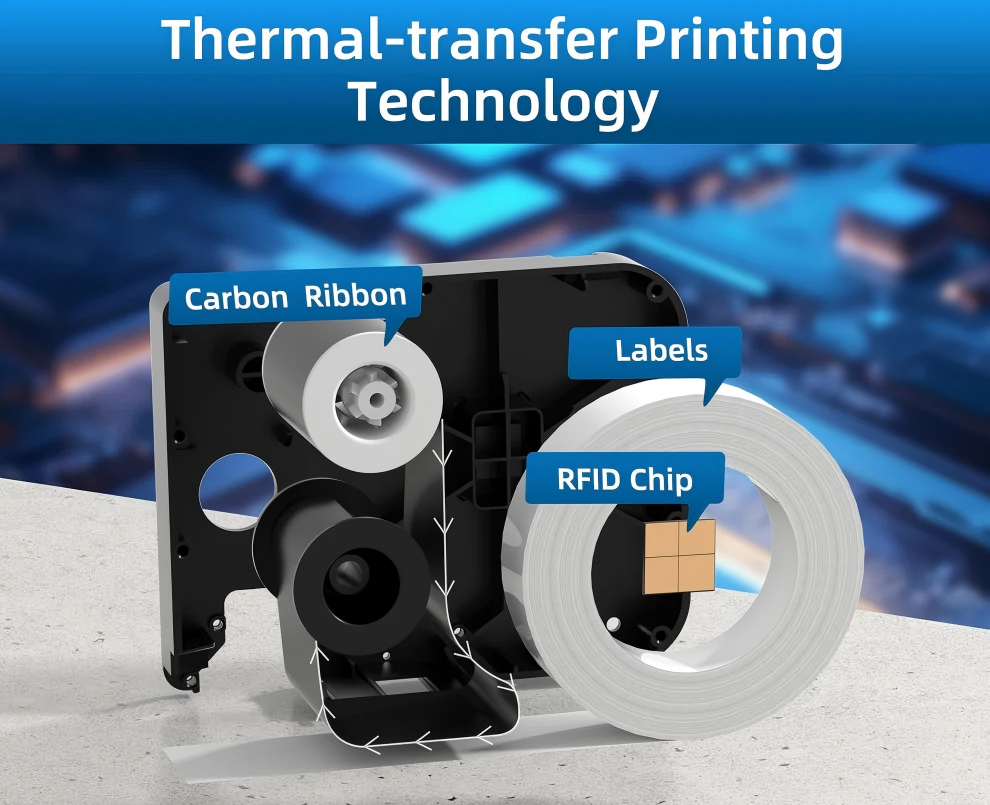
The quality of the label material is also crucial. Low-quality labels often contain more impurities or unstable adhesive layers. These substances will remain on the print head surface, increasing the difficulty of cleaning and affecting the stability of printing. Although the purchase cost of high-quality consumables is slightly higher, from a long-term perspective, it can significantly reduce the frequency of print head replacements, thereby reducing the overall operating costs.
Habit 4 —— Avoid Printhead Overheating and Dry Printing
Dry printing occurs when the printhead heats up without a ribbon or label passing beneath it. Without proper heat transfer, the printhead temperature can rise rapidly, potentially causing irreversible damage.
This situation may occur due to incorrect ribbon installation, depleted label rolls, or media jams. Preventing dry printing requires routine checks to ensure that ribbon and label materials are properly loaded and feeding correctly.
Maintaining proper media flow allows heat to dissipate safely and protects the printhead from overheating.
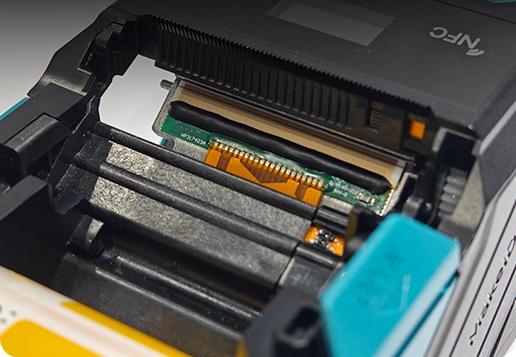
The service life of the thermal transfer printing head is not only determined by the manufacturing quality, but also by the maintenance methods in daily use. The formation of good habits only requires a few more minutes of attention; and the reward is a several times longer service life of the printing head and continuous savings in maintenance costs.
For enterprises that rely on label printing, establishing a standardized print head maintenance process can not only reduce equipment maintenance costs, but also improve printing quality and production efficiency, thereby achieving more stable and efficient operations.