
How to Create Barcode Labels for Telecom Asset Tracking?
If you work in telecom operations, you’re all too familiar with the hassle of managing scattered assets—from 5G base station equipment and fiber optic cables to routers, servers, and field test devices. Losing a single base station component or failing to track fiber spools can delay network deployments, raise maintenance costs, and even disrupt services for thousands of users.
Barcode labels are at the heart of a successful telecom asset tracking that assigns an unique digital identification for every device – whether in cabinets on the roof, submerged beneath the ground, or moved across cities. Therefore, a reliable label printer is not being a “nice-to-have” but an essential tool for telecom companies.
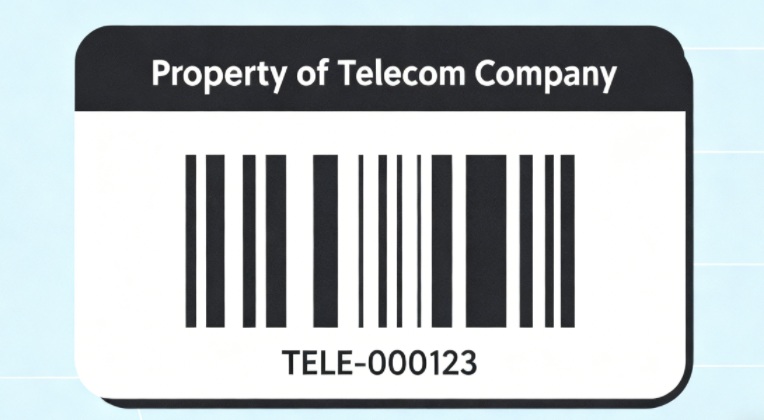
Understanding of Barcode Labels for Telecom Asset Tracking
Before choosing a printer, identify the essential components of top-quality barcode labels for telecom asset.
The fundamental information
In addition to the unique asset ID, labels should include the models of the equipment (e.g. the 5G transceiver for base stations) the location of installation and segments of the network (e.g., “5G Core Network”) and the purchase date, warranty duration as well as a maintenance hyperlink. 2D codes (QR Data Matrix/Code) are superior to 1D codes for telecoms, as they can store more data (suited to more complex devices) and can be read even in the event of damage that is only partial (a typical risk in the field).
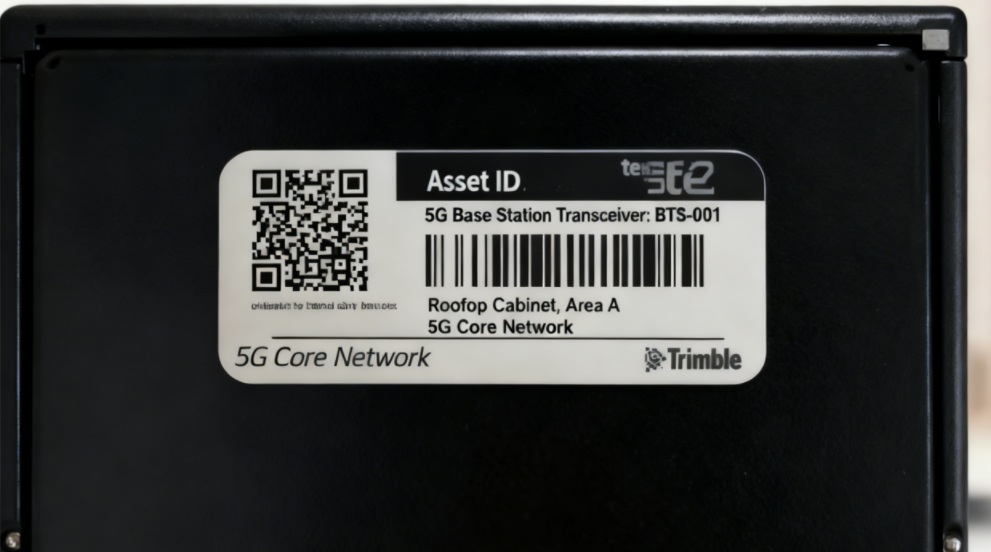
Telecom-specific specs
Material – Choose weather-resistant materials like Polyester suitable for outdoor use (resists UV rain, -40°C up to 85°C) . Durable synthesized paper to be used indoors (e.g. servers racks, servers racks).
Adhesion – High-tack adhesive adheres securely to plastic, metal and fiber cables. It is secure even in a dusty or oily environment.
Size – Labels for Mini (10x20mm) for smaller components (e.g. router ports, for example) Larger labels (50x70mm) for larger equipment (e.g. base cabinet for stations) to increase visibility.
Remember! Telecom labels need years of scannability in harsh conditions–durability and data integrity are non-negotiable.
How to Select A Label Printer for Telecom Assets?
Choosing a label printer for telecom assets requires balancing durability, performance, and industry compatibility. Below is a detailed selection guide.
Core Principles of Selection
The choice of printer should align with three telecom-specific factors.
First, the type of asset: Printers that can print weatherproof labels are crucial for outdoor equipment like base stations as well as fiber optic cables and more economical models are ideal for indoor equipment such as routers and servers.
Second, deployment scale: massive 5G network rollouts that involve thousands of assets require high-speed printers with support for batch printing, while smaller regional maintenance teams might require portable printers.
Third is on-site applicability: portable printers are ideal if labels need to be printed at installation locations, such as during base station setup. Desktop models, by contrast, are more efficient for bulk printing in office environments.
Main Label Printer Types in The Communication Industry
| Printer Type | Key Features & Advantages | Application Scenarios |
| Thermal Transfer Printers | The most popular choice in the telecom industry. Ribbons are used to transfer ink. Smudge-proof prints, UV-resistant ones last for over five years. | Base stations for outdoor use Fiber optic cables, machines for industrial use (harsh environmental use) |
| Thermal Printers | Not recommended for all telecoms scenarios. Depends on a heat-sensitive paper which fades with moisture and sunlight. It is not durable enough for long-term usage. | Indoor assets that have a short lifecycle (e.g. temporary testing devices) only |
| Portable Thermal Transfer Printers | Compact, dust-resistant. Prints on-site (e.g. rooftop base stations or Underground fiber manholes). Choose models that have Bluetooth to pair to field PDAs. | Field teams, tasks for installation and maintenance |

Key Parameter Selection for the Telecom Industry
- Resolution: 300 DPI is a mandatory specification for telecom labels because it ensures scanning for small fonts and large 2D codes.
- Durability: desktop printers must have sturdy construction (e.g. frames made of steel) to withstand the rigors of daily use in warehouses or at-site offices. Portable printers must be dust-proof and shock-proof, with some sort of IP54 rating or better.
- Connectivity: WiFi and Bluetooth are crucial to ensure effortless integration to telecom asset management system, as well as on-site PDAs.
- Material Compatibility: Check that the printer can print on materials that are up to 0.2mm in thickness. This is essential for labels that are applied on fiber optic cables as well as metal equipment.
Barcode Labels Design & Generation for Asset Tracking
Making barcode labels is an essential element in establishing an asset tracking system that’s reliable. An organized design makes sure that each label is simple to read, durable, and dependable across your entire inventory.
1. Define Label Content Requirements
Determine what information should appear on every label. For the most common asset tracking scenarios it is the asset ID or barcode (1D or 2D) and asset category and if you wish, department’s name or logo. The aim is to make sure that each label is able to convey the necessary information without clogging the layout.
2. Choose the Appropriate Barcode Format
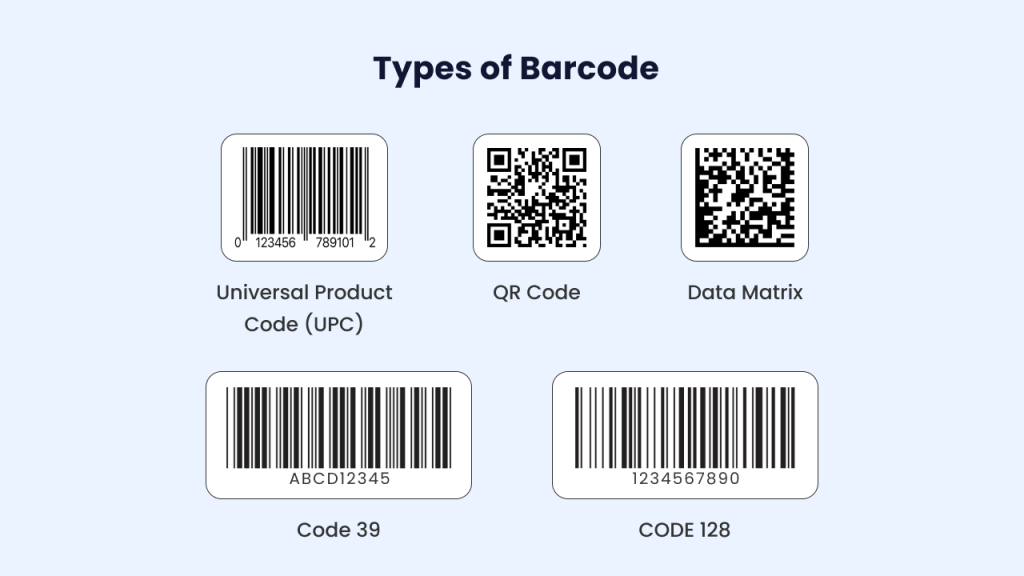
Different barcode formats serve different purposes.
- Code 128 is ideal for low-volume, high-density information.
- QR codes are ideal to store URLs, maintenance history or other information that is extended.
- The formats EAN/UPC are typically employed for retail items.
The decision you make will depend on the scan distance, data volume, and compatibility.
3. Set Up Label Dimensions and Layout
The size of your label should be depending on the type of asset. Small electronic devices need labels that are small and industrial equipment might be able to accommodate larger labels. Lay out elements in a logical order beginning with barcodes first, followed by ID text, then optional fields. Keep the layout neat to ensure the accuracy of scanning.
4. Generate the Label Using Professional Software
Make use of the label-creation software, and the integrated design tool made available by companies like MakeID. These tools let you modify the barcode’s density as well as font size and the resolution of your print. Check each design prior to printing to ensure that there are no mistakes.
5. Finalize and Export for Printing
When you are satisfied with the design then upload it directly to your printer for label printing. Check that settings such as DPI, print modes, and the type of label you want to print match the specifications of your printer to ensure the best clarity and durability.
In End
The implementation of a customized barcode labeling system to suit telecom assets doesn’t have to be complex. By focusing on top-quality specific labels for your industry, selecting the correct printer to match your workflows and assets, and following a well-organized process of design, you can transform the chaotic management of assets into a simple efficient and secure process.
If you’re looking for reliable labeling solutions that are able to are able to withstand the harsh environment of telecom (from base stations in the outdoors to data centers that are indoor) that provide constant scannability and integration seamlessly into your processes, MakeID is your trusted partner.