
How Long Should a Printer Last?
Label Printers are indispensable devices in scenarios such as warehouse management, optical fiber resource management, and laboratories. Therefore, label printers’ service life directly impacts enterprise operational efficiency and cost control. Many users wonder: How long can a label printer last? Why do some work stably for 5-6 years while others fail frequently in just 2 years? In fact, its service life is not fixed—it depends on usage scenarios, maintenance methods, consumable choices and more. This article analyzes the “life cycle” of label printers from four aspects: influencing factors, extension methods, replacement signs and purchasing skills, helping you manage devices more scientifically and cut operating costs.

What Determines the Lifespan of a Label Printer?
Factors like usage frequency, consumable quality, maintenance habits, and environmental conditions directly affect the printer’s components, thereby altering its lifespan.
Usage Frequency & Volume
Usage frequency and print volume are core lifespan factors, as both excessive and insufficient use damage the device. Daily print volume over 2,000 labels keeps the print head heated for long, accelerating aging. High-frequency friction between label paper and rollers wears the roller surface, causing slipping, paper jams or even transmission mechanism damage. Low usage (e.g., once a week) leaves the device idle, triggering “static aging”—the print head’s coating dries and cracks (causing blurriness), roller rubber hardens (reducing paper-feeding accuracy), and circuit board capacitors may fail (causing restart malfunctions).
Consumable Quality
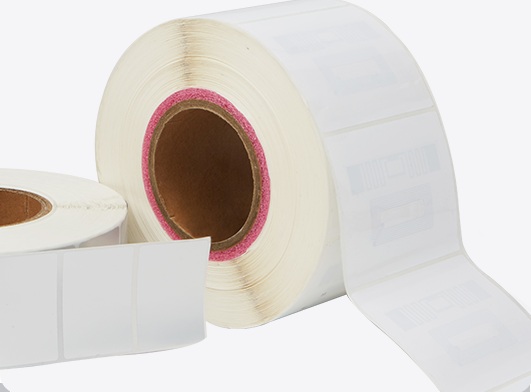
Consumable quality impacts core component wear, and low-quality options are “hidden killers”. Poor label paper has uneven surfaces, burrs or impurities that scratch the print head; some have unstable adhesives that melt and stick, degrading quality and shortening the print head’s life. Low-quality thermal ribbons leave impurities (blocking heating points) or break easily (wrapping around rollers; forced cleaning damages parts). High-quality consumables (e.g., MakeID) undergo strict testing, with smooth, uniform materials to minimize wear.at and wrinkle-free, and the label edges are not warped before conducting a test print.
Maintenance Frequency
Regular maintenance extends lifespan—neglect lets minor issues grow. Without cleaning, rollers accumulate dust (causing jams/misalignment), and dust on circuit boards hinders heat dissipation (raising short-circuit risks). Poor calibration causes uneven print head-roller pressure: excess pressure accelerates local aging (causing “partial blurriness”), while insufficient pressure fades content, leading to unnecessary print head replacement.
Environmental Conditions
Harsh environments shorten lifespan. Humidity over 60% rusts metal parts (causing seizing), curls damp label paper (causing jams) and reduces ribbon adhesion. Temperatures over 30℃ soften plastic components (undermining stability) and hinder print head heat dissipation (speeding aging by 2–3 times). Dusty areas (e.g., factories) speed up internal dust buildup, worsening wear.
How Do I Make My Label Printer Last Longer?
Since factors like usage frequency and consumable quality affect the printer’s lifespan, targeted measures can slow component aging and extend its service life. The following four proven methods help maximize your label printer’s value.
Regular Cleaning Routine
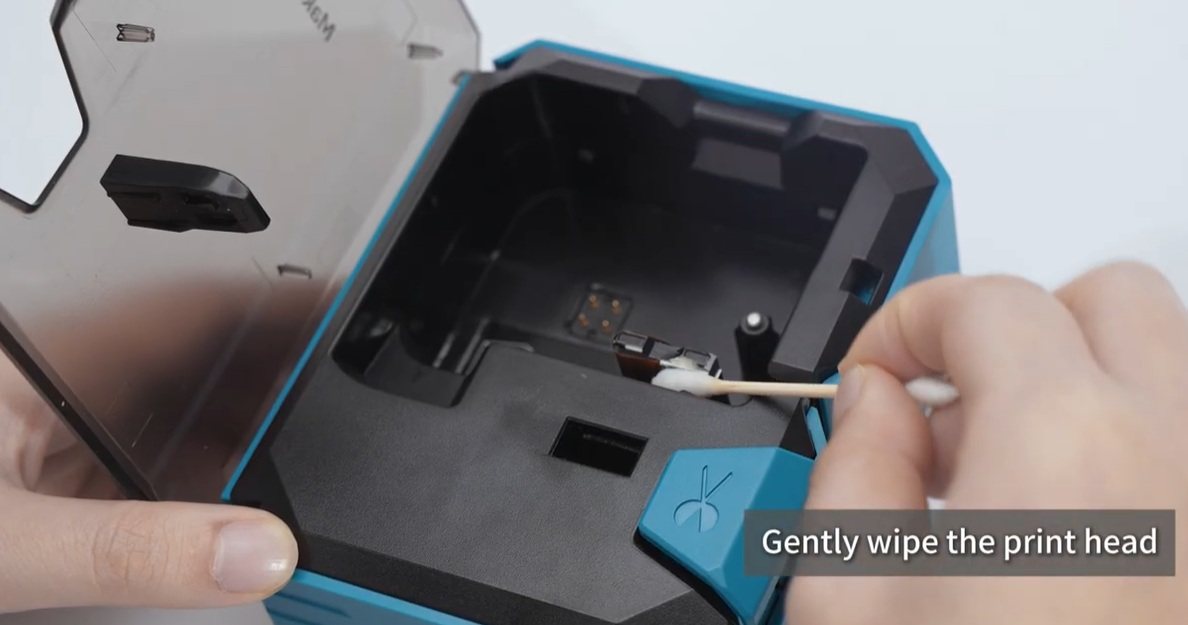
A routine for cleaning will reduce wear and help prevent problems. If you use your printer frequently (daily prints of more than 500): Make sure to clean the print head on a weekly basis shut off power, allow it to cool, and then wipe it clean using a specially-designed alcohol wipe to clean. Clean the rollers every month by using a soft and gentle brush (follow the direction of rotation) and a small amount of alcohol to get rid of stubborn stains and only begin after the alcohol has evaporated. For use that is not frequent (1-2 times per week) Check the print heads or rollers for dust prior to use Clean the paper slot and shell with a dry towel after each use, and perform a thorough clean each two weeks to prevent static becoming a problem.
Use Matching Consumables
Choose high-quality, device-matched consumables to minimize wear. Prioritize original or certified compatible ones (e.g., MakeID) — they fit well, avoiding jams or tension issues, and have smooth, low-impurity surfaces to reduce friction on print heads/rollers. Avoid cheap uncertified consumables; though low-cost, they cause frequent print head damage and malfunctions, increasing long-term maintenance costs.
Proper Shutdown & Storage
Correct shutdown/storage prevents damage. After usage, turn off your power supply and ensure that the system is fully shut down (indicator on) in order to be safe from potential voltage shocks. Standby mode is a good option for use in short-term intervals (1-2 hour) to reduce energy consumption and minimize wear after shut-off. In the event of long-term inactivity (over one month) clean the device, keep it in a dry, cool location (40-50% humidity between 15-25℃) take off the label paper or ribbons (store within sealed plastic bags) and then turn it on for 10 minutes every 2 weeks to ensure that the capacitor is not getting old.
Timely Part Replacement
Replace vulnerable parts promptly. If prints fade, blur, or have gaps, replace the print head immediately — continued use causes overheating and damages other components. For rollers, check for wear/hardening if feeding slows, labels misalign, or jams occur; replace worn ones promptly and inspect regularly even without obvious wear.
Signs It’s Time to Upgrade Your Label Printer
While maintenance can extend a label printer’s lifespan, it becomes more cost-effective to upgrade when the device shows the following signs—continuing repairs may cost more than replacing it with a new one.
Frequent Malfunctions
A sharp rise in malfunction frequency, with issues persisting even after repairs, means the device is in its “aging stage.” For example, if paper jams occur over 3 times a week despite roller cleaning and label position adjustments, or if printing errors like misalignment and missing content keep happening after print head replacement and calibration. Such frequent faults severely hurt work efficiency: a warehouse might spend an extra 1-2 hours daily fixing jams, slowing down order fulfillment and even delaying deliveries.
Declined Efficiency
A drastic decrease in efficiency, unable to meet the needs of today is another indicator. If the speed of printing decreases sharply–e.g. the rate drops from 100 label per minute to less than 70 and there is no improvement following maintenance or the warm-up time increases from 1-2 minutes to more than five minutes, the labels pile in the peak times which can disrupt the workflow.
Incompatibility with New Needs
As the business expands, a change is required if the printer cannot meet the demands of new business even if it functions. For example, a business growing in logistics might require to print shipping labels that are large (e.g. 10cmx15cm) however the previous printer is limited to a dimensions of 8cmx10cm. If a cloud printing system is implemented to make use of multiple devices remotely however, the printer is only equipped with USB connectivity, and isn’t able to connect to cloud or wireless networks.
High Maintenance Costs
Replacing becomes better value when maintenance costs exceed a certain percentage of a new printer’s price. If annual maintenance fees surpass 50% of a new device’s cost, long-term expenses will outweigh the cost of a replacement. Additionally, if parts are discontinued—making old parts hard to source with delivery times over 2 weeks, causing prolonged downtime—it’s time to upgrade.
Tips for Choosing a New Label Printer
When replacing a label printer, choose scientifically based on your needs and avoid blind pursuit of high configurations or low prices. The following four tips help select a cost-effective device.
- Match Models to Scenarios: Different scenarios need printers with different performance. For warehousing logistics and cable applications (daily prints over 500 labels, possible dust/humidity), industrial-grade printers are ideal—they have sturdy bodies, good dustproof/waterproof performance, support high-load continuous printing, and more durable print heads/rollers.
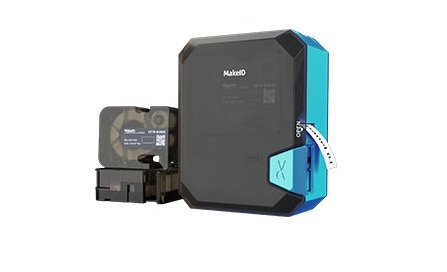
- Prioritize Original Consumable Compatibility: When choosing label printers, pick models compatible with its original consumables. MakeID’s consumables and devices pass strict testing; each model’s dedicated label paper and thermal ribbons are smooth and uniform, reducing print head/roller wear, avoiding incompatible malfunctions, and extending lifespan.
- Focus on Brand Service Advantages: MakeID has strong service capabilities and industry experience, with clients like China Mobile, State Grid, and West China Hospital, plus a sound after-sales system. Prioritize it for professional support and maintenance, reducing downtime and ensuring stable long-term use.
- Value Niche Professionalism: MakeID excels in communications, electric power, and medical fields. Its printers fit industry needs—e.g., clear prints for medical scenarios and environmental adaptability for power industry outdoor work.
Summary
A label printer’s lifespan varies by usage, maintenance, and more, but you can extend it with proper care—like using quality consumables and regular cleaning. When frequent malfunctions, low efficiency, or incompatibility with new needs arise, upgrading is wise.
For a cost-effective, reliable choice, turn to MakeID. Its label printers fit scenarios from telecommunication to healthcare industry, pair with tested original consumables, and come with strong after-sales support (trusted by China Mobile, State Grid). Choose MakeID to get a label printer that supports stable business operations long-term.