
Warehouse Labeling: A Complete Guide for Accurate Inventory Management
A well-organized warehouse depends on more than shelves, software, and hardworking teams. It also depends on clear, durable, and consistent warehouse labeling.
When locations, bins, pallets, cables, equipment, and inventory are labeled correctly, warehouse teams can find items faster, reduce picking errors, improve inventory accuracy, and create a safer working environment. When labels are missing, inconsistent, or difficult to scan, even a well-designed warehouse management system can become unreliable.
This guide explains how to build a practical warehouse labeling system, choose the right warehouse labels, and keep them readable in demanding environments.
Why warehouse labeling matters
Warehouse operations move quickly. A picker may need to identify a rack location in seconds, a forklift operator may need to confirm a pallet destination from a distance, and a manager may need to verify whether inventory has been received, moved, or counted.
A clear warehouse labeling system helps teams:
- Reduce picking, put-away, and shipping errors
- Improve inventory visibility and traceability
- Speed up cycle counts and stock audits
- Make onboarding easier for new employees
- Support barcode, QR code, RFID, and warehouse management workflows
- Improve safety and visual organization
The goal is not simply to place labels everywhere. The goal is to create a labeling standard that employees can understand immediately and use consistently.
What should be labeled in a warehouse?
A complete warehouse labeling plan usually covers several types of assets and locations.
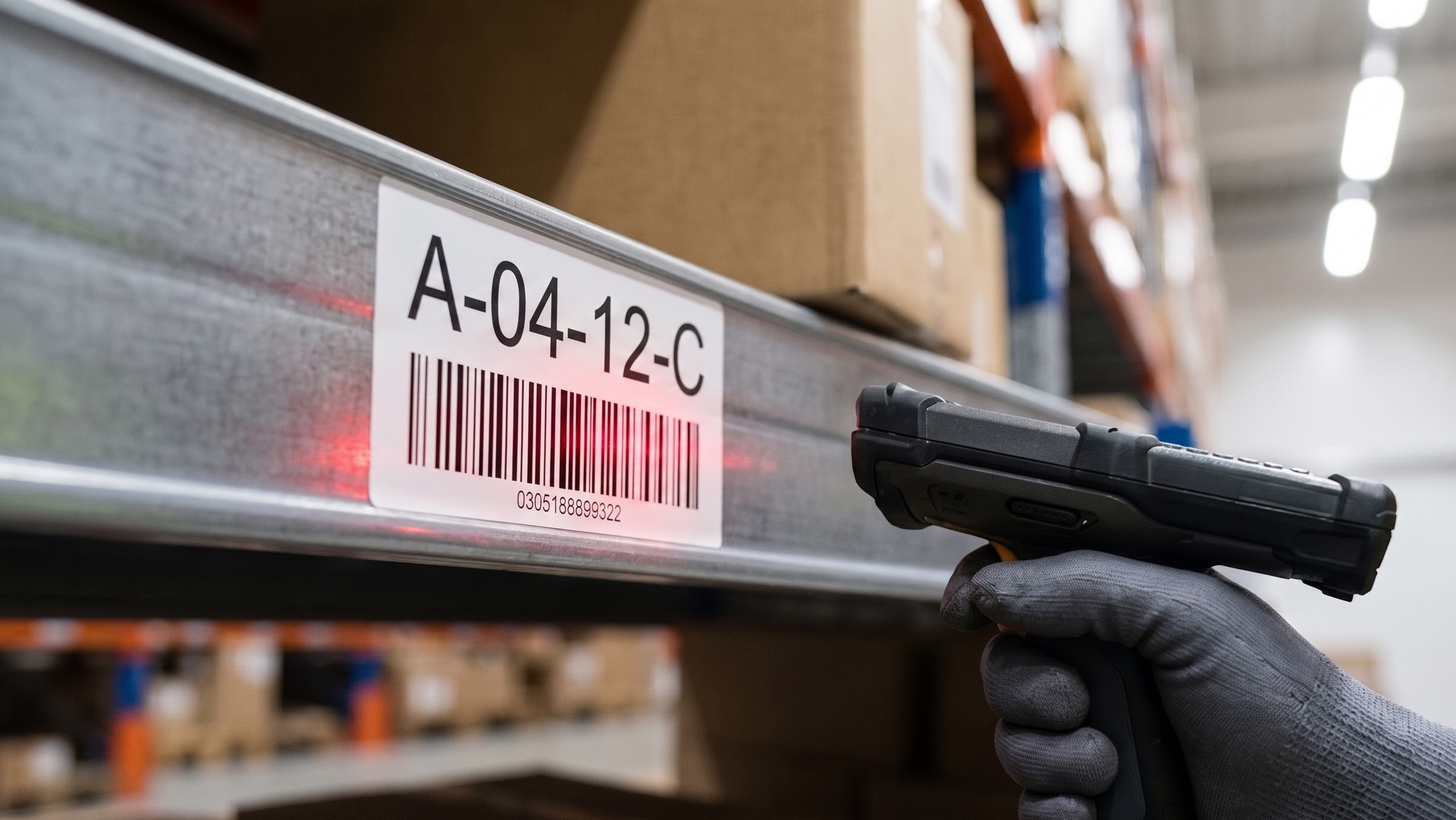
Rack and aisle labels
Aisle labels identify the main warehouse zones. Rack labels identify the storage structure, while shelf-level labels identify the exact vertical position.
For example, a location code such as A-03-R-04-L-02 can represent:
- Aisle A-03
- Rack 04
- Level 02
The format itself can vary, but it should be simple, logical, and used across the entire facility.
Bin and shelf labels
Bin labels are especially important for small parts, fast-moving goods, maintenance components, and e-commerce inventory. Each bin should show a readable location code and, where relevant, a barcode or QR code.
Use large enough text for the viewing distance. A small bin label may work at eye level, but higher shelf locations may require larger characters or reflective labels.
Pallet and container labels
Pallet labels typically include the product name, SKU, lot number, quantity, destination, and barcode. They should be placed where scanners and warehouse staff can see them without moving the pallet.
For operations that move pallets between facilities or customers, label durability and barcode readability are particularly important.
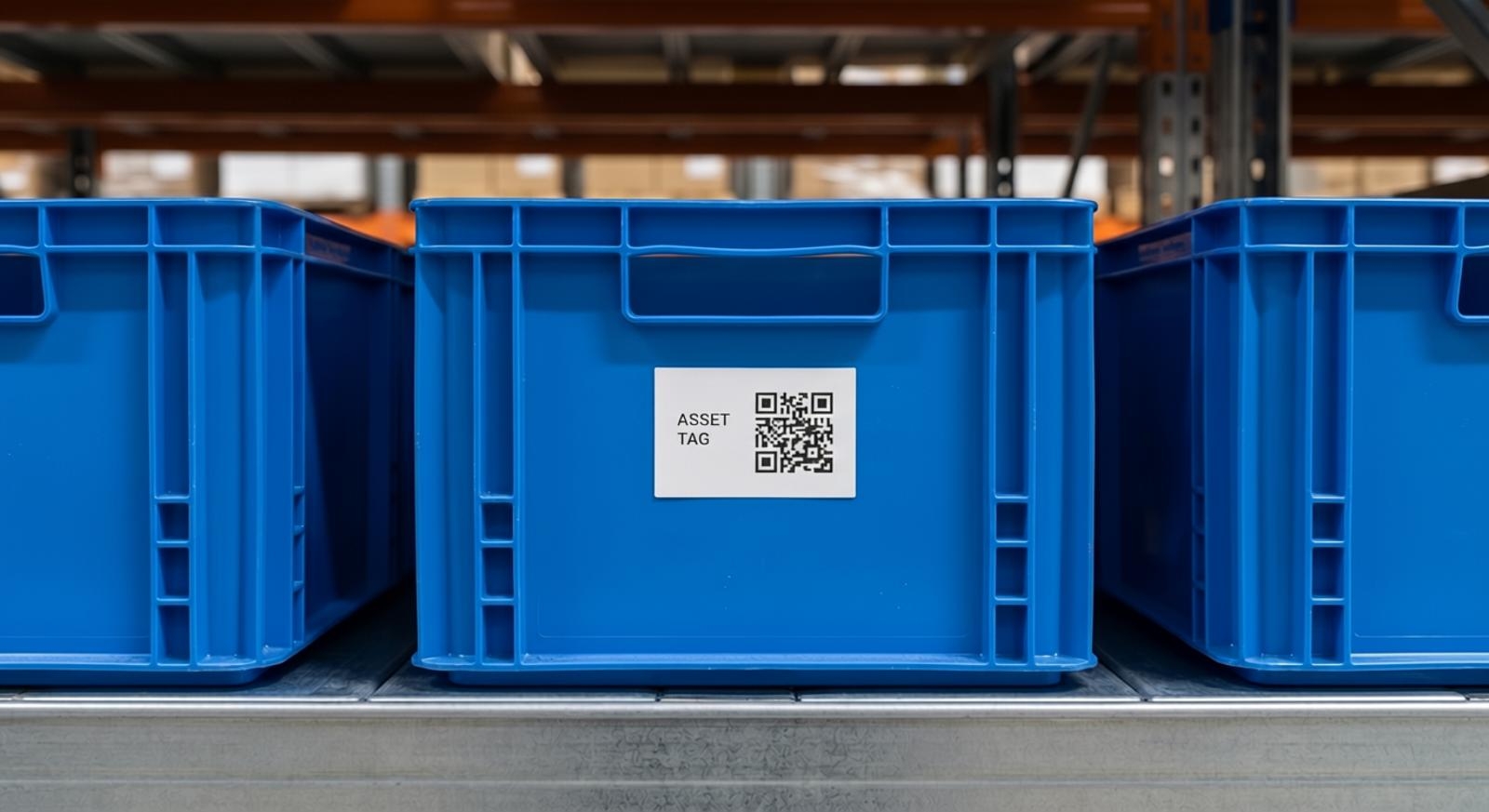
Inventory and asset labels
Warehouse equipment also needs identification. Label printers can be used to mark handheld scanners, forklifts, maintenance tools, ladders, charging stations, computers, and spare parts.
Asset labels often include an asset ID, barcode or QR code, owner department, and service information.
Safety and process labels
Use labels to mark emergency exits, loading zones, hazardous materials, inspection points, waste areas, and restricted spaces. Color coding can help, but important information should never rely on color alone. Include clear text and symbols wherever possible.
How to design a warehouse labeling system
The best warehouse labeling systems are built around how people actually work. Before printing labels, map the movement of inventory from receiving to storage, picking, packing, and shipping.
1. Create a location naming convention
Start with a location format that can scale as the warehouse grows. Keep codes short enough to read and communicate, but detailed enough to identify an exact location.
A common sequence is:
Zone – Aisle – Rack – Level – Position
For example:
B-12-05-03-02
Document the convention and use it in the warehouse management system, printed labels, training materials, and inventory reports.
2. Match the label size to the viewing distance
Labels that are too small create delays and scanning mistakes. For aisle signs and high rack locations, use larger text and high-contrast colors. For bins and drawers, compact labels may be appropriate.
Before a full rollout, print sample labels and test whether employees can read them from their normal working position.
3. Choose durable label materials
Warehouse labels may be exposed to dust, friction, moisture, cold storage conditions, sunlight, chemicals, or repeated handling. The right material depends on the environment.
PET labels are commonly used where abrasion resistance and long-term durability are needed. Flexible labels can work well for cables or irregular surfaces. For cold rooms, outdoor areas, or chemical exposure, choose materials and adhesives designed for those conditions.
Avoid using ordinary paper labels for high-contact or long-term warehouse locations unless they are protected by a laminate.
4. Use barcodes and QR codes correctly
Barcodes make inventory processes faster, but only when they are easy to scan. Keep enough white space around the code, avoid printing too small, and make sure the label surface does not create glare.
Use 1D barcodes when your system only needs a short identifier. Use QR codes when you need to store more information or link to a digital record, instruction, or maintenance history.
Always test labels with the same scanners used by the warehouse team.
5. Create a visual standard
A warehouse should not have five different label styles for the same type of location. Define standards for:
- Font size
- Label dimensions
- Text and barcode placement
- Color use
- Naming convention
- Material type
- Placement location
A consistent visual standard makes the warehouse easier to operate and maintain.
Common warehouse labeling mistakes
Even a good labeling project can fail if the system is difficult to follow. Avoid these common mistakes:
- Using inconsistent location codes across teams
- Printing labels without testing scanner readability
- Choosing materials that fail in cold, humid, or high-contact environments
- Making labels too small for the viewing distance
- Placing labels where pallets or shrink wrap hide them
- Using unclear abbreviations
- Forgetting to update labels when the warehouse layout changes
The best approach is to launch a pilot in one zone, collect feedback from warehouse staff, and then expand the standard across the facility.
Choosing a warehouse label printer
A warehouse label printer should match the environment and the volume of labeling work. For mobile work, a portable industrial label printer can help teams create labels at receiving areas, storage locations, maintenance zones, or on the warehouse floor.
Look for features such as:
- Durable printing suitable for long-term labels
- Clear barcode and QR code printing
- Compatibility with label materials used in the facility
- Mobile, USB, Wi-Fi, or Bluetooth connectivity
- Template support for repeated label formats
- Easy media replacement for busy teams
For portable, on-site labeling needs, explore MakeID industrial label printers and compatible label consumables.
Final thoughts
Warehouse labeling is a small operational detail with a large impact. A consistent system helps employees make faster decisions, reduces errors, and creates more reliable inventory processes.
Start with a clear location naming structure, choose materials for the real working environment, and test every label format before rolling it out. With the right warehouse labels and a practical labeling standard, your facility becomes easier to manage today and easier to scale tomorrow.
Frequently asked questions
What information should be included on warehouse labels?
At minimum, include a clear location or item identifier. Depending on the application, add a barcode, QR code, SKU, lot number, quantity, or safety instruction.
What is the best material for warehouse rack labels?
For long-term rack labels, durable synthetic materials such as PET are often a better choice than standard paper. The ideal material depends on abrasion, moisture, temperature, and chemical exposure.
Should warehouses use barcodes or QR codes?
Use barcodes for quick identification in standard inventory workflows. Use QR codes when you need to link users to more detailed digital information, such as product records, instructions, or asset history.
How often should warehouse labels be checked?
Review labels during regular cycle counts, layout changes, safety inspections, and inventory audits. Replace labels that are damaged, faded, missing, or no longer accurate.