
Smart Lock Management for Distributed Infrastructure in North America & Europe
Telecom cabinets, utility enclosures and railway communication sites are spread across large service areas. Mechanical keys make it difficult to verify who entered, whether contractor access remains valid, or how quickly permissions can be changed. In Mercury Security’s 2026 survey of 561 security professionals, 69% considered interoperability critical when procuring controllers, while 32% reported missing cybersecurity features. These are broad access-control findings, not smart-padlock market statistics.
Why distributed sites need a different access strategy
A conventional key system may work for a small facility with a stable user group. It becomes harder to manage when operators maintain cabinets across cities, regions or transport corridors. Keys can be copied, misplaced or retained after a contractor’s assignment ends, while changing access may require lock replacement or additional field visits.
Digital access management can help assign permissions to approved personnel, define where and when access is allowed, and retain records for review. This is relevant to telecom, utility and railway operators and service providers that dispatch technicians to distributed assets.
What recent access-control developments mean for infrastructure buyers
Mercury Security’s September 29, 2026 2026 Trends in Access Controllers Report, based on 561 security professionals, reported that 78% viewed controllers as important or critical to their access-control strategy, 69% considered interoperability critical in procurement, and 82% valued backward and forward compatibility.
A November 3, 2026 EURO SECURITY article also discussed the integration of electronic access control with building-management and security systems. These are broader enterprise trends, not proof that every remote cabinet needs a cloud-connected lock. Buyers should assess credentials, hardware, management software, authorization rules, event records, cybersecurity and support as a complete workflow.
Five requirements to define before selecting a smart lock
1. Match the lock to the access point
Outdoor telecom cabinets, utility enclosures, railway gates and indoor equipment cabinets do not necessarily use the same locking hardware. Check the existing hasp or cabinet structure, installation method, exposure, access frequency and whether door-status monitoring is required.
2. Choose credentials around real field conditions
NFC smartphone access can be convenient for technicians who routinely carry compatible phones. Dedicated NFC keys can suit teams that prefer issued credentials rather than personal devices. An electronic-key-operated padlock may be more appropriate for restricted or phone-free environments.
The credential method should reflect device policies, workforce practices, site rules and the process for lost or replaced credentials.
3. Define permissions by person, location and time
A useful policy defines who may enter, which access points they may use and when. Role- and time-based permissions can align access with contractor assignments and maintenance windows.
4. Make access records operationally useful
Access logs can help answer who accessed which point and when. Mapping lock locations and reviewing exceptions can support investigations. Define who may review records, how long they are retained and how personal data is protected. An access log is not a complete record of every activity at a site.
5. Assess security, resilience and lifecycle support
Review connected access systems with IT and security stakeholders. Ask how credentials are issued and revoked, how records are protected and what happens during phone, network or platform outages. Verify interoperability against the actual products and interfaces; NFC does not automatically mean third-party platform compatibility.
How MakeID Smart Locks Support Distributed Infrastructure
MakeID’s smart access portfolio is designed for different physical access points: surface-mounted equipment cabinets, compatible hasps and restricted infrastructure locations. MakeID offers three lock configurations, supported by access credentials and a management platform for permissions, event records and location visibility. The right choice depends on the cabinet or hasp design, credential preference, site conditions and field workflow.
MakeID’s PSY30-N10: NFC surface-mounted lock for equipment cabinets
MakeID’s PSY30-N10 is designed for surface mounting on compatible cabinet doors. Typical applications include integrated cabinets, power distribution cabinets (PDCs) and electrical equipment cabinets.
The battery-free lock draws power from a smartphone’s NFC field. Users tap an NFC-enabled phone or matching key within 1 cm; the listed unlocking time is 2–5 seconds, depending on the phone. The lock uses AES-128 encryption and is rated IP65.
Its black zinc-alloy housing measures 204 × 61 × 46 mm, with a 10 mm-diameter, 24 mm-long lock shaft. The stated operating range is -20°C to +70°C. The MakeID system supports offline authorization through the NFC key, app and PC event records, GIS mapping, flexible permissions and alerts.
The matching NFC key is ZKV30-N10. It has a 450 mAh rechargeable battery, USB-C charging in under three hours, and a stated capacity of at least 500 NFC lock/unlock operations per full charge. It can store at least 100 user credentials and more than 1,000 operation logs. Offline authorization can be provisioned through the phone app or USB cable; real-time authorization is available through Bluetooth.

MakeID’s GSV60-N10: NFC padlock for compatible hasps and outdoor assets
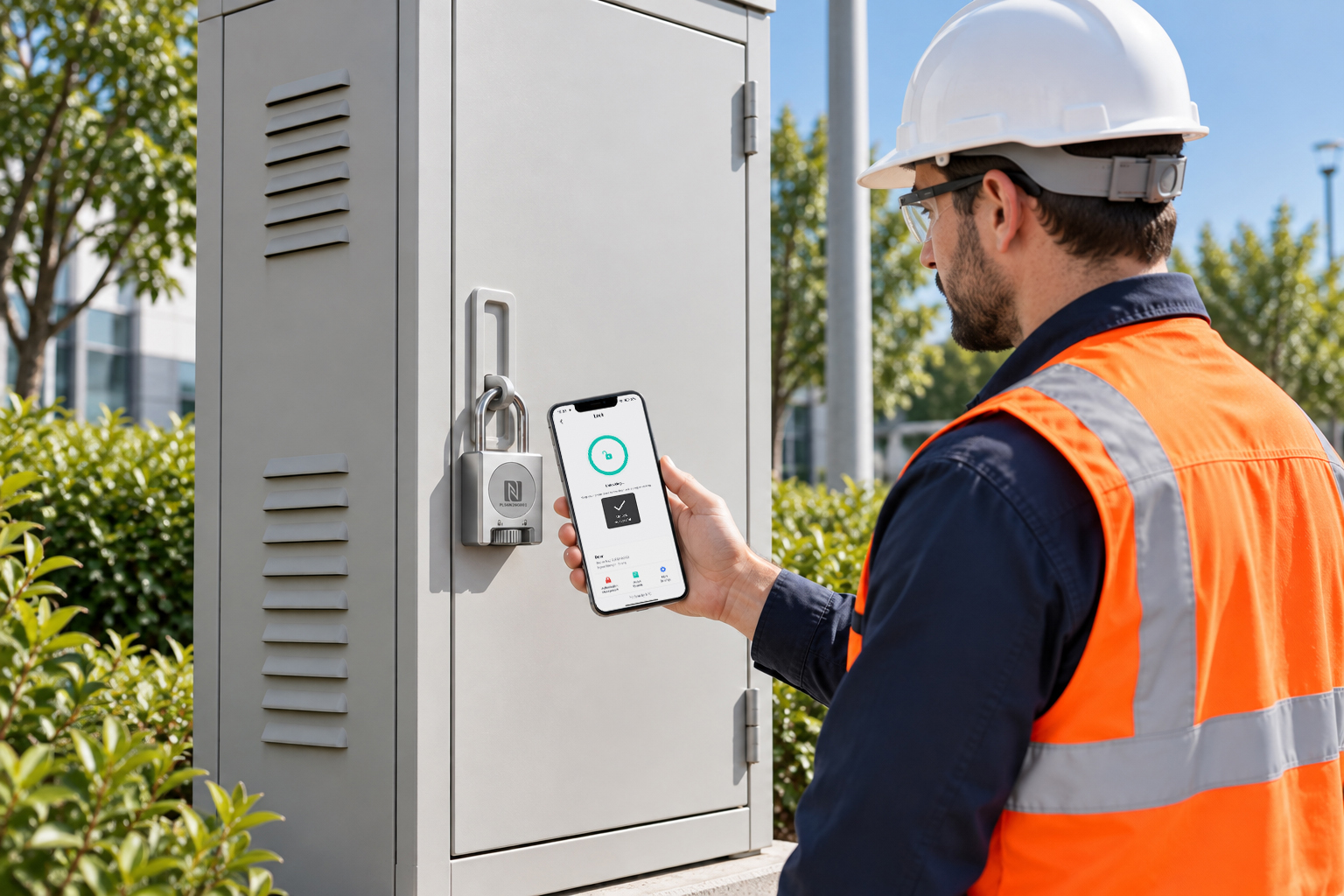
MakeID’s GSV60-N10 is designed for compatible hasps on optical cross-connect cabinets (OCCs), power distribution cabinets (PDCs) and switchgear. It features a 304 stainless-steel housing, IP67 rating, AES-128 encryption, dimensions of 120 × 56 × 28 mm and an 8 mm shackle.
The padlock is battery-free and unlocks through an NFC tap at a sensing distance under 1 cm. The listed unlocking time is 2–5 seconds, depending on the phone. Its stated operating range is -20°C to +70°C.
It uses the MakeID ZKV30-N10 NFC key, which stores offline authorization. The MakeID management workflow also supports event records, role-based permissions, GIS visualization and alerts through the app, platform or SMS.
MakeID’s GSV60-E10: electronic-key padlock for contact-based unlocking
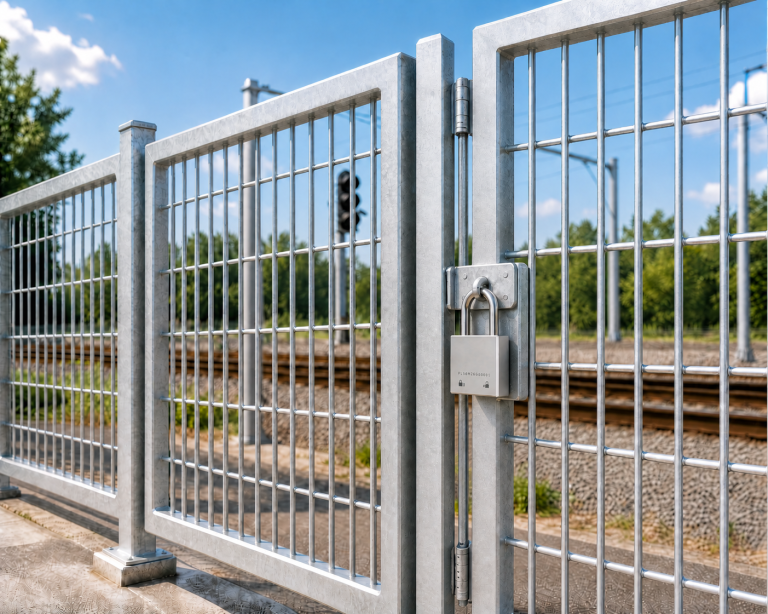
MakeID’s GSV60-E10 is a contact-based electronic-key padlock for compatible hasps on OCCs, PDCs, switchgear and other critical infrastructure. It features a 304 stainless-steel housing, IP67 rating, AES-128 encryption, dimensions of 120 × 56 × 28 mm and an 8 mm shackle.
To unlock, users insert and rotate the digital key, then turn the cylinder clockwise; the listed unlocking time is no more than two seconds. To lock, close the shackle and turn the key counterclockwise. Its stated operating range is -20°C to +70°C.
The matching key is the MakeID ZKV30-E10 electronic key. It has a 450 mAh rechargeable battery, USB-C charging in under three hours and more than 1,000 unlocking operations per full charge. It can store over 100 user-permission records and over 1,000 operation logs. Authorization can be provisioned offline through the app or USB, or in real time through Bluetooth.
MakeID’s Project Experience in Telecom and Railway Infrastructure
MakeID has deployed more than 12,000 passive NFC smart locks across the cabinets of a provincial telecom operator. MakeID has also deployed more than 2,000 passive smart locks across more than 2,600 km of railway communication infrastructure.
These projects demonstrate MakeID’s experience supporting access management across geographically distributed infrastructure and show why lock selection, credential management and field workflows need to be planned together.
One management approach, with product-specific credentials
The MakeID Smart Access Solution supports permission management, access-event records, GIS-based lock visualization and exception alerts. The physical locks and credentials are not interchangeable: MakeID’s PSY30-N10 and GSV60-N10 use the ZKV30-N10 NFC key, while the GSV60-E10 uses the ZKV30-E10 electronic key.
Protection ratings also differ: MakeID’s PSY30-N10 is IP65, while both GSV60 padlocks are IP67. Buyers should select by installation type and actual site conditions rather than assume all locks share the same specifications.
A practical deployment checklist for operators and integrators
Map access points by lock type, environment and risk. Confirm installation compatibility, select credentials, define roles and maintenance windows, and document lost-credential procedures.
Pilot representative sites with technicians, security administrators, IT and the service partner. Test unlocking, permission changes, event records, alerts and the process for adding or removing locks. Distributors and integrators can add value through site surveys, lock mapping, credential planning, installation, training and lifecycle support.
Conclusion: make every access point accountable
For distributed infrastructure operators, smart lock management is more than replacing a metal key with a phone. It connects an authorized credential to the right person, access point and time window, while retaining an access record.
MakeID offers NFC padlocks, an electronic-key padlock, a surface-mounted cabinet lock and a management platform for telecom, utility, railway and equipment sites. MakeID works with customers and project partners to identify the right configuration for their existing hardware, access policies and site conditions.
Explore MakeID Smart Locks and Smart Access Control Solution, or talk to the MakeID team about your infrastructure and deployment requirements.